
This information is general so images may not look exactly like your catalogue because there are different versions for colleges, high schools, primary schools and DECYP libraries. Please ask your library staff for help.
Holds on library items
What is a hold?
You can place holds in some catalogues. A hold is a reservation on an item that is on loan to someone else. Placing a hold on an item means you have joined a waiting list. Library staff will let you know when the item is ready for you to borrow.
How to place a hold
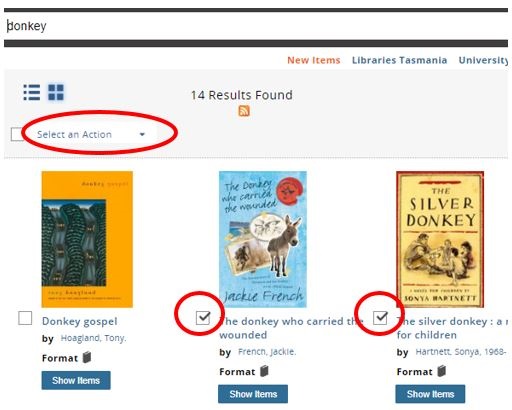
When holds are allowed in your catalogue you can place a hold from the search results screen by selecting the tick box of one or more of the items listed. Then use the Select an Action drop-down menu at the top of the search results to select Place hold(s).
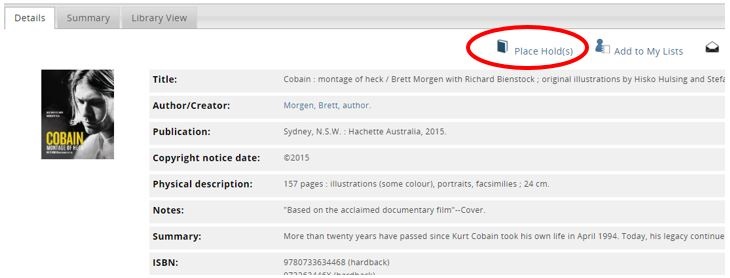
You can also place a hold from an item’s Details tab clicking Place Hold(s) from the action icons in the top right-hand corner.
If you aren’t already logged in when you click Place hold(s) icon you will be prompted to log in (see How to log in).
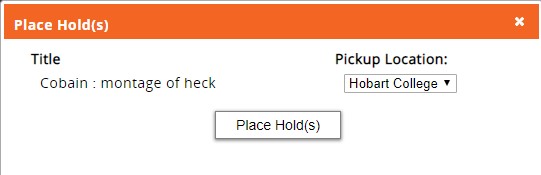
Click the Place Hold(s) button.
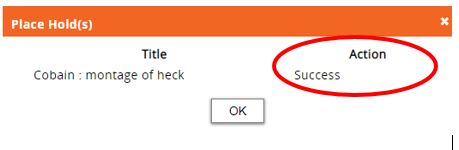
If successful, the title of the item and action Success will be displayed. Click the OK button to close the window.
View your holds
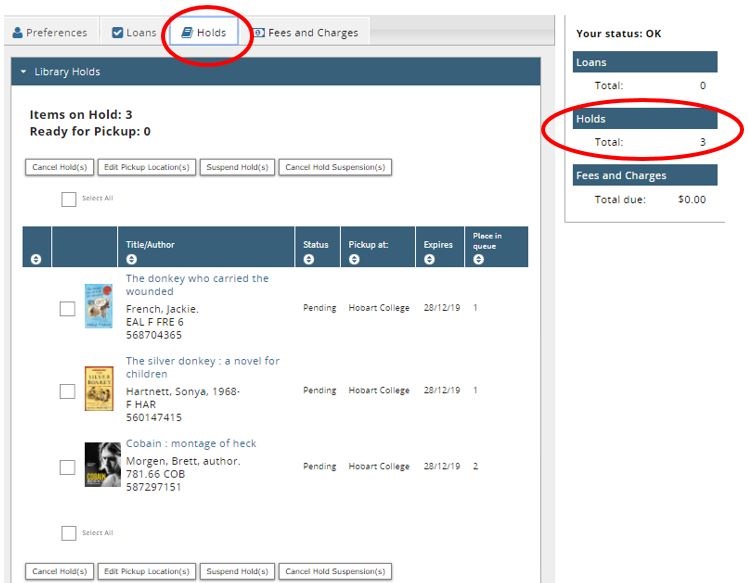
Log in (see How to log in) to My Account and click the Holds tab to see your holds.
The Place in queue column shows your position in the waiting list. You are next in the queue if your place is 1.
If the Status of the hold is Pending the hold is not ready for you.

If the hold is ready for you to borrow, the Status changes to Pickup by: date. You will see a green circle with an exclamation mark.
How to cancel holds
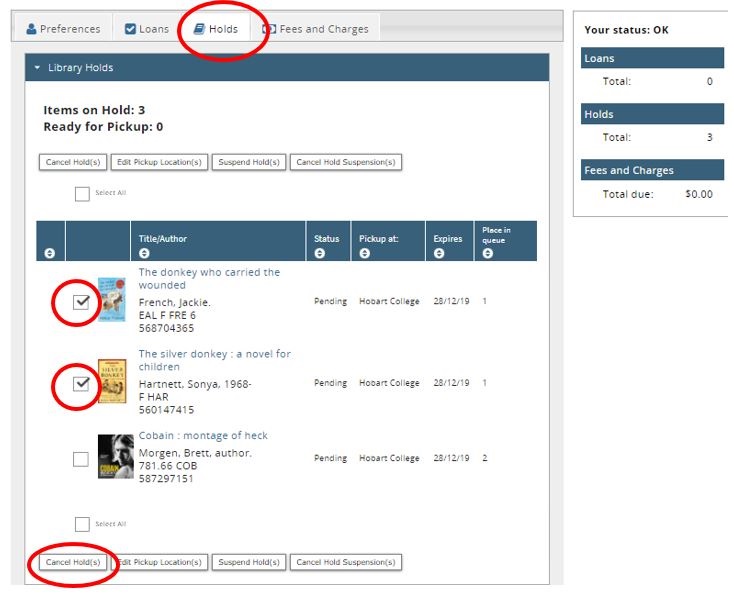
Log in (see How to log in) to My Account and click the Holds tab to see your holds.
Click on the tick box(es) beside the holds listed that you want to cancel. Then Cancel Hold(s) button from the buttons above the holds.
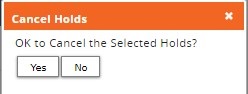
Then click the Yes button. The holds will be cancelled.